
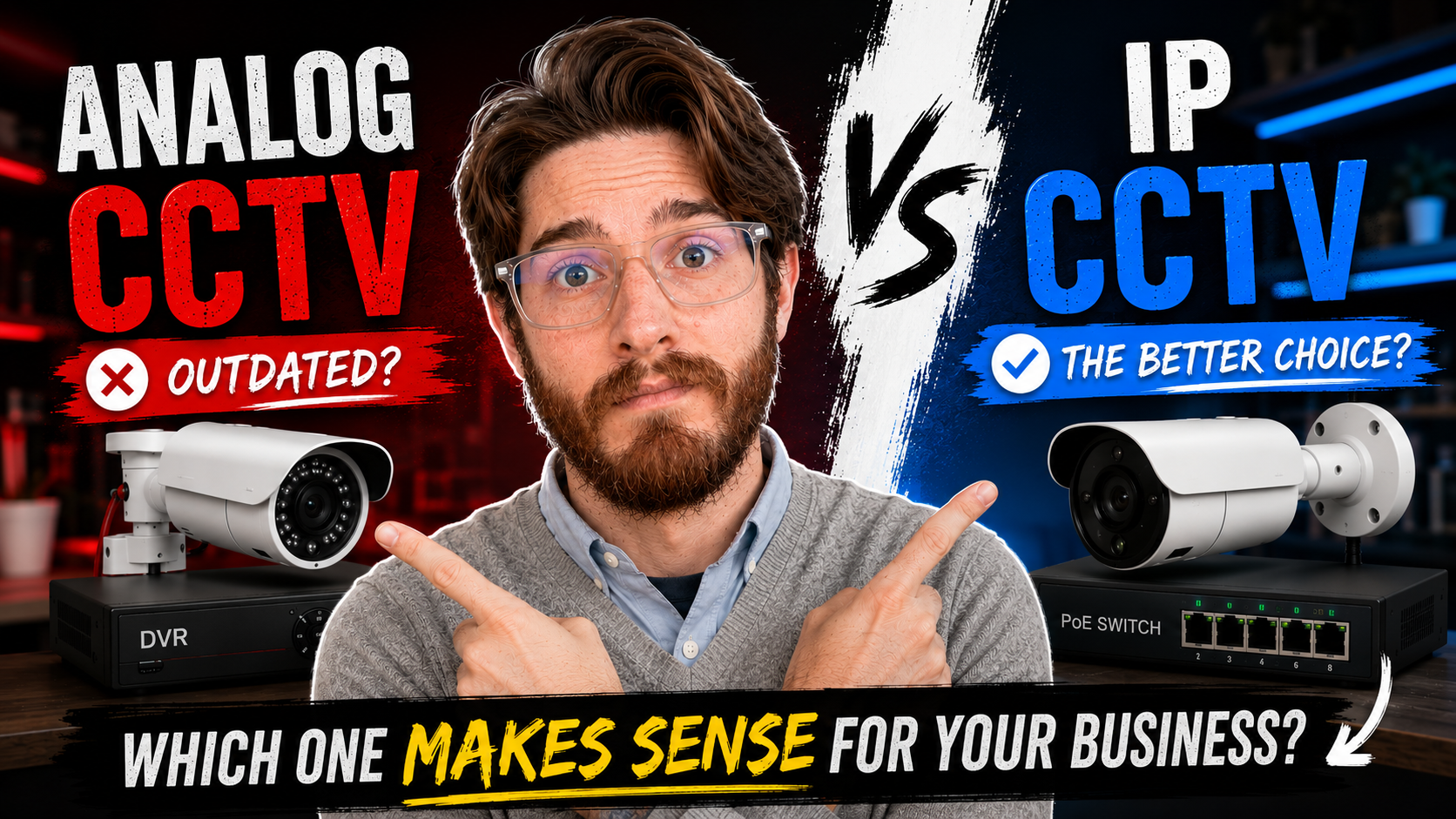
IP vs analog CCTV: for a new business installation, I usually recommend wired IP cameras with Power over Ethernet (PoE). The main reason is practical: I find a well-designed IP system easier to install, troubleshoot, maintain and expand.
I still have analog cameras at my own house. If an existing system works reliably and gives you the footage you need, there may be no reason to replace it. But when I’m quoting a new business installation, I look beyond the camera specification and ask: what will this system be like to live with after it has been installed?
This guide explains that decision, then covers camera selection, cabling, recording, security and the questions I’d ask before buying. It’s written for business owners, managers and anyone responsible for keeping CCTV working.
IP vs Analog CCTV: Which Makes More Sense for a Business?
Both systems capture video and send it to a recorder. The main difference is how the cameras connect and how the infrastructure is built around them.
Analog CCTV
Cameras typically send video over dedicated cabling to a Digital Video Recorder (DVR), with power provided separately. Existing cabling can make this a practical upgrade path.
IP CCTV
Cameras send video over a network to a Network Video Recorder (NVR) or other recording system. With compatible PoE equipment, one network cable carries both data and power.
Neither approach makes up for poor positioning, lighting or installation. The right choice depends on the site, budget and what the cameras need to capture.
Why I Prefer IP Cameras With PoE
My biggest frustration with traditional analog CCTV is the cabling and connections. Separate video and power paths can mean more components to install, test and diagnose. A properly installed analog system can work well, but those extra connections become more noticeable across a large business site.
With a compatible IP camera and PoE switch or recorder, one network cable provides data and power. From an installer’s perspective, that means one cable to install, test and replace if necessary.
PoE doesn’t eliminate faults. Cameras, cables and switches can still fail. What it gives me is a more consistent infrastructure to plan and support. The customer sees the camera, the picture and the mobile app; I also see the cabling and equipment that have to keep working behind them.
A simple PoE camera path
The Real Advantage Shows Up When Something Fails
Image quality matters, especially when you need to identify a person or understand an incident. But it isn’t the biggest reason I recommend IP cameras. The difference becomes clearer months or years later, when a camera goes offline or a client cannot find a recording.
At that point, I need to locate the fault. With an IP system, I can work through the camera, its network connection, PoE supply, switch and recording configuration. That gives me a logical troubleshooting path, provided the installation has been planned and documented properly.
CCTV is long-term infrastructure. The initial quotation is only part of the cost: someone will need to maintain it, replace failed equipment and add cameras as the business changes. I would rather support a simple, well-planned system than one that only looks good on installation day.
What Happens If the PoE Switch Fails?
A failed PoE switch can take several cameras offline at once. That’s a real limitation and should be part of the design. In my experience, though, replacing a confirmed failed switch is often easier than spending hours tracing individual power faults through a poorly installed analog system.
Check the power supply, uplink and connected equipment before assuming the switch itself has failed. Think about the impact of losing each switch, and plan suitable power protection and recovery arrangements for the site.
From My Experience: Installation Quality Matters
I’ve worked on expensive systems that performed badly and budget systems that performed surprisingly well. Often the difference was the installation: cable terminations, wiring, positioning, network design and configuration. A badly terminated cable doesn’t care how expensive the camera on the end of it was. A poorly designed network doesn’t become reliable because the cameras have a high megapixel rating.
That’s why I look at the whole system. The equipment, infrastructure and security requirements need to make sense together, and the person maintaining it later needs a practical way to find faults.
When Does Analog CCTV Still Make Sense?
I’m not saying everyone should replace their analog CCTV. If the system works reliably, provides useful footage and meets your requirements, there may be no reason to replace it. Existing cabling, replacement costs and a limited budget can all make analog the practical choice. If equipment has failed or the business needs to expand, compare the cost and support implications of repairing the existing system with moving to IP.
Mixing CCTV Brands: What ONVIF Does and Does Not Guarantee
I prefer a consistent CCTV environment where practical. HiLook and Hikvision are brands I work with regularly, and familiar tools and management platforms can make support easier. That is a practical preference, rather than a reason to assume every model will work with every other model.
Mixed-brand systems can work. ONVIF profiles define shared capabilities for conformant devices and clients: Profile T covers advanced video streaming, Profile G covers recording and storage, and Profile M covers analytics metadata and events. Check the exact models, supported profiles and features you need. Basic video working across brands does not guarantee that every analytics feature, event or configuration option will work through the recorder.
In October 2025, ONVIF announced the phase-out of Profile S and recommended Profile T. Existing Profile S systems do not stop working because of that announcement, but new purchases should account for current authentication and security requirements. When I’m troubleshooting a client’s system, I want to spend time finding the fault rather than discovering that two products implement a feature differently. Confirm compatibility before buying, even within one brand.
Choosing the Right CCTV Camera for the Job
I start with the area to be monitored, then choose the equipment. An entrance, parking area and loading bay can need different cameras. Buying first and deciding where to put the camera afterwards is the wrong way round.

Start With What You Need to See
- An overview of activity across a general area.
- Enough detail to identify a person at an entrance.
- Vehicles or registration plates at a gate.
- Activity at a till, stock room or loading bay.
- People or vehicles entering a restricted area after hours.
These are different requirements. A camera that gives an excellent overview may not show enough detail for identification. State the purpose of each camera before comparing specifications.
Camera Resolution: How Many Megapixels Do You Actually Need?
This is probably one of the first specifications people look at. You’ll commonly see resolution labels such as:
- 2MP (2 megapixels)
- 4MP
- 5MP
- 8MP (often marketed as 4K UHD)
Higher resolution can provide more detail, but more megapixels don’t automatically solve every CCTV problem. A higher-resolution image is only useful if the rest of the system allows you to make use of that detail. The camera still needs:
- Suitable lighting.
- The correct lens.
- Good positioning.
- Appropriate viewing distance.
- Sufficient storage.
- Appropriate recording settings.
For example, putting an extremely high-resolution camera on the corner of a building and using it to cover an enormous area doesn’t necessarily mean you’ll be able to identify someone standing 30 or 40 metres away. The person might simply occupy too little of the image. This is why I don’t like the approach of:
“Let’s just buy the highest megapixel camera.”
The better question is:
“What level of detail do we actually need at this location?”
That is a much more useful way to select CCTV equipment.
Turret, Dome or Bullet?
The physical design of the camera matters too. You’ll commonly come across turret, dome and bullet cameras, and each has situations where it can make sense.
Turret Cameras
Turret cameras are popular because they provide a relatively flexible mounting arrangement and are often easier to adjust than traditional dome designs. They can be particularly practical for general-purpose installations.
Dome Cameras
Dome cameras have a more enclosed appearance and can be useful where a less obvious camera design is preferred. They are often used indoors and in commercial environments. Depending on the model and installation, the dome housing can also provide additional physical protection.
Bullet Cameras
Bullet cameras are visually more obvious and are often used outdoors. Their shape can make them useful where you want the direction of the camera to be visually apparent. There isn’t one camera shape that is universally better. Again, it comes down to the location, mounting position, environment and purpose. The important thing is not to choose a camera because it looks good in a product catalogue.
Choose it because it makes sense for the installation.
Fixed Lens vs Varifocal
Another important decision is the lens. A fixed-lens camera has a fixed focal length, which determines its field of view together with the sensor. A varifocal camera allows that field of view to be adjusted. This can be extremely useful when you’re dealing with a location where the exact viewing requirement isn’t perfectly predictable until the camera is installed and positioned.
For example, you might know that you need to monitor a gate, but the exact amount of surrounding area you want in the image may only become obvious once the camera is mounted. A varifocal lens gives you more flexibility to fine-tune the view. Some motorised models also allow remote zoom and focus adjustments. The trade-off is coverage versus detail: a wide view shows more of the scene but makes a person or object smaller in the image. A narrower view covers less area while giving the important subject more of the frame.
Camera Placement Can Matter More Than Camera Price
This is something I would encourage anyone planning CCTV to think about carefully. A R5,000 camera in the wrong location can be less useful than a R2,000 camera in the right location. The exact prices will obviously vary, but the principle remains.
If the camera is pointed at the wrong angle, has the wrong field of view or is positioned too far away from the area of interest, upgrading the camera may not solve the underlying problem. I’ve seen this kind of thing in real installations. Sometimes the answer isn’t:
“We need a better camera.”
Sometimes the answer is:
“We need to move the camera.”
That is why site planning is so important. Before installing a camera, you should consider:
- What area needs to be covered?
- Where will people approach from?
- Where will the light come from?
- Is the camera facing directly into sunlight?
- Is there anything that could obstruct the view?
- How far away will the important subject be?
- What level of detail is actually required?
These questions can have a bigger impact on the final result than the specification printed on the box.
Daylight, Shadows and Difficult Lighting
Lighting is one of the biggest challenges in CCTV. A camera can produce a fantastic image during the day and a much less useful image at night. The same can happen when the camera is positioned incorrectly relative to the sun. Imagine a business entrance where the camera is looking toward a bright outdoor area.
During part of the day, the camera may be dealing with bright sunlight outside and a relatively dark entrance underneath a roof. Without suitable image processing, you can end up with one part of the image being correctly exposed while the important part is too dark. This is where features such as Wide Dynamic Range (WDR) become useful. WDR is designed to help cameras deal with scenes containing significant differences between bright and dark areas.
It is particularly relevant for locations such as:
- Entrances.
- Vehicle gates.
- Loading areas.
- Windows.
- Reception areas.
- Outdoor-to-indoor transitions.
This is another reason I wouldn’t choose a camera purely by megapixel count. A camera with the right features for the environment can produce more useful footage than a camera with a higher headline specification that isn’t suited to the scene.
Night Vision and Low-Light Performance
The useful question is not simply whether a camera has night vision, but whether its footage will show the detail you need. Infrared (IR) can illuminate a scene, but results depend on the sensor, lens, distance, movement, ambient light and reflective surfaces.
A stated infrared range is not a promise that you can identify a person at that distance. Check recorded footage under the conditions that matter for the site, including moving subjects at night.
Colour Night Vision
Some cameras can retain colour in low light, while others use additional visible lighting. If clothing or vehicle colour matters, plan the lighting as part of the installation. The camera still needs enough light to produce useful detail.
AI Detection Is Becoming More Useful
Another area that has changed considerably is camera analytics. Modern cameras can do more than simply record everything they see. Depending on the equipment, cameras may offer analytics such as:
- Person detection.
- Vehicle detection.
- Line crossing.
- Intrusion detection.
- Loitering detection.
- Object detection.
- Event-based alerts.
The important distinction is between recording video and understanding events within video. A basic motion detection system might trigger because a tree moved in the wind, a shadow crossed the image or an insect passed close to the camera. More advanced analytics can attempt to distinguish between people, vehicles and other movement. That can make notifications more useful. But I still wouldn’t treat AI detection as magic.
The quality of the camera, positioning, lighting, configuration and the specific analytics available all matter. A badly positioned camera doesn’t suddenly become a good security camera because it has AI written on the box. Again:
The installation comes first.
Your CCTV Network Is Part of Your IT Infrastructure
This is where IP CCTV becomes particularly interesting for me as an IT professional. An IP camera isn’t just a camera anymore. It’s a network device. It has an IP address. It communicates over the network. It may connect to a switch. It may communicate with an NVR. It may provide a web interface. It may have firmware that needs updating. It may offer remote access. And it may have its own security configuration.
That means CCTV should be treated with the same care you would give other network-connected equipment. A camera shouldn’t simply be plugged into the network and forgotten about. You need to think about:
- IP addressing.
- Network design.
- Switch capacity.
- PoE capacity.
- User accounts.
- Passwords.
- Firmware.
- Remote access.
- Network segmentation where appropriate.
- Internet exposure.
This is one of the areas where the line between IT support and physical security becomes increasingly blurred. Modern CCTV is part of the network. And if you’re responsible for a business network, you need to treat it that way.
How Far Can an IP Camera Be From the Network?
This is another area where a little planning goes a long way. For conventional copper Ethernet, plan around a 100-metre channel limit between active network devices, including patch leads. That doesn’t mean every camera installation stops at exactly 100 metres. Suitable PoE extenders and other network designs can support longer distances, subject to equipment and power requirements. You may use:
- PoE extenders.
- Intermediate network switches.
- Fibre optic links.
- Additional network cabinets.
- Different network architectures.
The important thing is not to simply assume that a longer cable will solve the problem. If a camera is a significant distance away from the main network cabinet, that should be considered during the design stage. This is particularly relevant on:
- Farms.
- Warehouses.
- Large industrial sites.
- Schools.
- Complex office buildings.
- Large residential properties.
- Multi-building sites.
The physical size of the property can have a major impact on the correct CCTV architecture.
Do You Need Internet for IP Cameras?
This is another question I hear fairly often. And the short answer is:
Not necessarily.
An IP CCTV system can operate on a local network without needing an internet connection for the cameras to communicate with the NVR. Internet connectivity becomes important when you want features such as:
- Remote viewing.
- Remote notifications.
- Remote management.
- Cloud services.
- Access to footage while away from the site.
This distinction is important because an IP camera system and an internet-connected camera system are not necessarily the same thing. The cameras can communicate locally. The NVR can record locally. Your internal network can carry the CCTV traffic. The internet is then an additional connection used for remote functionality where required. For businesses, I actually think this is a useful distinction because it highlights something that often gets overlooked:
Your CCTV system is part of your network.
It doesn’t automatically need to be exposed directly to the internet.
What About Wi-Fi Cameras?
For homes, I think Wi-Fi cameras can be perfectly acceptable. They’re convenient, relatively easy to install and can be a practical solution where running network cable isn’t realistic. For businesses, however, I look at them differently. Many people buy Wi-Fi cameras because they assume that removing the network cable automatically makes installation easier. Sometimes it does. Sometimes it simply moves the problem.
The camera may no longer need a network cable, but it still needs power. You can then end up with:
- Power adapters.
- Extension cables.
- Power points in inconvenient locations.
- Wireless coverage problems.
- Signal interference.
- Batteries that need charging.
At that point, the supposedly “easy” installation can become less professional than simply installing a proper wired camera. For a business environment, I usually prefer wired CCTV whenever possible. It gives me a more predictable infrastructure and, with PoE, the network connection and power can travel through the same cable. That makes sense to me not only from an installation perspective, but also from a support perspective.
Don’t Forget the NVR and Storage
The cameras might be the most visible part of the system, but the recording system is just as important. With an IP CCTV installation, you’ll commonly encounter an NVR — Network Video Recorder. The NVR receives and records video from the IP cameras. This is different from a traditional DVR — Digital Video Recorder, which is generally associated with cameras using dedicated analog video connections.
The terminology can get confusing because both systems ultimately record digital video. The important distinction is how the cameras communicate with the recorder. With an IP system, the cameras are network devices. With a traditional analog system, the camera’s video signal is typically brought back to the DVR over dedicated cabling.
Storage Is a Design Decision
One of the biggest mistakes a business can make is thinking about storage only after the cameras have been selected. The amount of storage you need depends on things such as:
- Number of cameras.
- Resolution.
- Frame rate.
- Compression.
- Recording schedule.
- Motion/event recording.
- Required retention period.
- Camera activity.
- Number of streams.
A business that needs seven days of footage has a very different requirement from one that needs thirty or ninety days. And if the system is recording continuously, you’re writing a huge amount of data every day. That’s why surveillance-specific hard drives exist.
Drives designed for surveillance workloads are built around continuous recording environments rather than the intermittent workload typical of a normal desktop PC. Seagate, for example, designs its SkyHawk surveillance drives for 24/7 DVR and NVR workloads. The point isn’t that you must buy one particular brand of hard drive. The point is:
Don’t treat the storage drive as an afterthought.
If your CCTV system is responsible for recording security footage around the clock, the storage subsystem is part of the security system.
How Much CCTV Storage Do You Actually Need?
There isn’t one universal answer. Two systems with the same number of cameras can require very different amounts of storage. For example, consider two businesses:
Business A
- 8 cameras.
- Lower resolution.
- Motion-based recording.
- Quiet office environment.
- Short retention requirement.
Business B
- 8 cameras.
- Higher resolution.
- Continuous recording.
- Busy warehouse.
- Longer retention requirement.
They may both have eight cameras, but their storage requirements could be dramatically different. That’s why I prefer designing CCTV around the actual requirement rather than simply saying:
“Eight cameras? Buy an 8-channel NVR.”
The number of channels tells you how many cameras the recorder can support. It doesn’t tell you whether the storage capacity is appropriate.
CCTV Cybersecurity Matters Too
Once cameras become network devices, cybersecurity becomes part of CCTV planning. A camera with a network connection needs to be treated like other network-connected equipment. That means basic security practices matter:
- Change default credentials.
- Use strong passwords.
- Plan and apply supported firmware security updates.
- Limit unnecessary access.
- Avoid exposing devices directly to the internet unnecessarily.
- Use appropriate network controls.
- Know who has access to the CCTV system.
This is especially important for businesses. A CCTV system contains information about the physical environment of the organisation. Depending on where cameras are installed, recordings may also contain sensitive information about employees, customers, vehicles, visitors and daily operations. Security therefore shouldn’t be an afterthought. The system needs to be secure both physically and digitally.
CCTV Privacy and POPIA in South Africa
CCTV footage can identify people and involve personal information. In South Africa, that means considering the Protection of Personal Information Act (POPIA) alongside the technical design.
- Define why each area needs monitoring and avoid collecting unnecessary footage.
- Decide who may view, export and manage recordings.
- Set a retention period based on the purpose and applicable requirements.
- Plan how people will be informed about surveillance and how footage will be protected and deleted.
The Information Regulator raised CCTV transparency and retention concerns in its April 2026 notice on a proposed code for gated accesses. That document is a proposed, sector-specific code, rather than a universal CCTV checklist. Treat these points as planning questions, and confirm the requirements that apply to your organisation. Good CCTV security protects both the property and the information the cameras collect.
A Practical CCTV Buying Checklist
If you’re considering CCTV for your home or business, don’t start by choosing a camera from a catalogue. Start by working out what you actually need the system to do. Here are some of the questions I’d work through before buying anything.
1. What Are You Trying to Protect?
Start with the property itself. Identify the areas that actually matter:
- Entrances and exits.
- Parking areas.
- Vehicle gates.
- Reception areas.
- Warehouses.
- Stock rooms.
- Cash handling areas.
- Perimeter areas.
- Loading bays.
- Offices or other sensitive areas.
You don’t necessarily need every part of a property covered equally. The important areas should receive the most attention.
2. What Do You Need the Camera to See?
Don’t just count cameras. Ask what each camera is actually supposed to achieve. Do you need:
- General area coverage?
- Facial identification?
- Vehicle identification?
- Registration plate visibility?
- Monitoring of a specific doorway?
- Detection of people or vehicles?
- Evidence of what happened during an incident?
This determines the type of camera, lens, positioning and resolution you should be considering.
3. Where Will the Cameras Be Installed?
Consider the physical environment. Is the camera:
- Indoors or outdoors?
- Exposed to rain?
- Exposed to direct sunlight?
- Mounted high up?
- Accessible to people?
- Looking through glass?
- Covering a large area?
- Covering a narrow entrance?
The environment affects the equipment you should use.
4. What Does the Lighting Look Like?
Look at the area during the conditions in which the camera will actually be used. Think about:
- Daylight.
- Darkness.
- Shadows.
- Direct sunlight.
- Artificial lighting.
- Headlights.
- Bright entrances.
- Dark interiors.
A camera that looks perfect during the day isn’t necessarily going to produce useful footage at night.
5. What Type of Camera Makes Sense?
Consider which options suit each location:
- Turret.
- Dome.
- Bullet.
- Fixed lens.
- Varifocal lens.
- Standard low-light camera.
- IR night vision.
- Colour night vision.
- Additional analytics.
The camera should be selected because it suits the location, rather than simply because it has the biggest specification.
6. How Will the Cameras Be Powered?
For a new IP installation, I’d generally look at PoE where practical. Think about:
- Where the switches will be located.
- How far each camera is from the network equipment.
- Available PoE capacity.
- Cable routes.
- Future expansion.
Don’t leave the power and network design until after the cameras have been selected.
7. Where Will the Recorder Be?
For an IP system, consider where the NVR will live. It should be somewhere appropriate for the environment and protected from unnecessary access. Also think about:
- Network connectivity.
- Power.
- UPS protection where appropriate.
- Storage.
- Physical security.
- Accessibility for maintenance.
The recorder is just as much a part of the CCTV system as the cameras.
8. How Much Footage Do You Need to Keep?
Work out the required retention period. Do you need:
- 7 days?
- 14 days?
- 30 days?
- Longer?
Then consider how many cameras you have, their resolution, recording settings and how much activity they will capture. Storage requirements should be calculated rather than guessed.
9. How Will You Access the System?
If remote viewing is required, decide how that will work. You might want:
- Mobile viewing.
- Secure remote viewing.
- Notifications.
- Remote management.
But remote access should be designed securely. Don’t assume that simply connecting the NVR to the internet is the correct approach.
10. What Happens When Something Breaks?
This is one of the questions I think gets overlooked most often. Ask:
Who is going to maintain this system?
And:
How easy will it be to troubleshoot?
A CCTV system can work perfectly for years, but eventually something will fail. A camera. A cable. A switch. A power supply. A hard drive. A recorder. When that happens, you want a system where the problem can be identified logically rather than turning into a major investigation.
11. Can the System Be Expanded?
Businesses change. You might need another camera next year. You might extend the building. You might add another entrance. You might need additional storage. Consider future expansion before installing the first camera. A little planning at the beginning can save a lot of frustration later.
Frequently Asked Questions About CCTV
Is IP CCTV better than analog CCTV?
For a new business installation, IP is generally my preferred option. It offers advantages such as network connectivity, PoE, easier expansion and, in my experience, simpler troubleshooting and maintenance. That doesn’t mean analog CCTV is bad. If an existing analog system works reliably and meets the requirements, there may be no reason to replace it simply because IP exists. The right choice depends on the installation.
Do IP cameras need the internet?
No. An IP camera can communicate with an NVR over a local network without an internet connection. Internet access becomes relevant when you want features such as remote viewing, cloud services or remote notifications. A local IP CCTV system does not automatically need to be exposed to the internet.
Do IP cameras need a network cable?
Normally, yes, if you’re using a conventional wired IP installation. That cable provides the network connection and, when using PoE, can also provide power. There are wireless IP cameras, but for business installations I generally prefer a wired solution where practical.
What is PoE?
PoE stands for Power over Ethernet.
It allows compatible network equipment to provide electrical power to a device over its Ethernet network cable. For CCTV, this means an IP camera can often receive both its network connection and power through the same cable. That’s one of the reasons I find PoE-based installations so practical.
What is the difference between a DVR and an NVR?
A DVR, or Digital Video Recorder, is traditionally associated with analog CCTV systems where the camera video is brought back to the recorder over dedicated video cabling. An NVR, or Network Video Recorder, is designed to work with network-connected IP cameras. The important difference is therefore not simply what the recorder’s name says. It’s how the cameras connect to it.
How many megapixels do I need for CCTV?
There isn’t one answer that works for every camera. The required resolution depends on what you’re trying to see, how far away the subject is, the lens, lighting and camera positioning. A higher megapixel count can provide more detail, but it doesn’t automatically make a poorly positioned camera useful. Choose the resolution based on the actual requirement.
Is 4K CCTV worth it?
It can be, particularly where additional image detail is genuinely useful. But 4K isn’t automatically the right answer for every camera. Higher resolution can also increase storage and network requirements. If a camera is being used to monitor a small entrance, for example, spending significantly more on resolution may not provide the same benefit as selecting the correct lens and positioning the camera properly.
Are Wi-Fi cameras good for business?
They can be useful in the right situation, but I generally prefer wired IP cameras for business installations where practical. Wi-Fi removes the network cable, but the camera still needs power. You also have to consider wireless coverage, interference and reliability. For a professional business installation, I’d rather have a properly planned wired infrastructure whenever the site allows it.
How far can an IP camera be from the NVR or network switch?
For conventional copper Ethernet, the usual channel limit is 100 metres between active network devices, including patch leads. This is not necessarily the total distance from camera to NVR across a switched network. Longer distances can be achieved using appropriate network equipment and infrastructure, such as extenders, additional switches or fibre. The important thing is to design for the distance rather than simply installing a very long cable and hoping it works.
Can I mix CCTV brands?
Yes, it is possible. Standards such as ONVIF are designed to improve interoperability between products from different manufacturers. However, compatibility doesn’t necessarily mean that every feature will work identically between different brands. For that reason, I generally prefer keeping a CCTV environment consistent where practical. A consistent ecosystem can make configuration, troubleshooting and ongoing support simpler.
Should I replace my existing analog CCTV system?
Not necessarily. If the system works reliably and provides the coverage and image quality you need, there may be little reason to replace it purely because IP cameras are available. However, if you’re replacing failed equipment, expanding the system or installing a completely new CCTV system, it’s worth considering whether moving to IP would provide a better long-term foundation.
How much CCTV storage do I need?
That depends on:
- Number of cameras.
- Resolution.
- Frame rate.
- Compression.
- Continuous versus event-based recording.
- Amount of activity.
- Required retention period.
An eight-camera system recording continuously at high resolution can have very different storage requirements from an eight-camera system recording only when motion is detected. Storage should therefore be calculated from the actual recording requirements.
Is CCTV secure?
It can be, but security needs to be considered during installation. Modern IP cameras are network-connected devices, so they should be treated as part of the IT environment. Basic security practices include:
- Changing default credentials.
- Using strong passwords.
- Keeping firmware appropriately updated.
- Restricting access.
- Avoiding unnecessary internet exposure.
- Controlling who can access recordings and camera management.
A CCTV system protects your physical environment, but the system itself also needs protection.
My Final Recommendation
For a new business CCTV installation, IP cameras with a properly designed PoE network are my first choice. I find that foundation practical to install, troubleshoot and expand. If an existing analog system is reliable and meets your needs, however, replacing it simply to have newer technology may not make sense.
When you compare quotations, ask why the proposed system is right for your property. Ask what each camera will see, how long footage will be retained, how remote access will be secured and who will maintain it. CCTV is about building a security system that continues to work after the installer has packed up and left. That is the standard I think businesses should expect.
Planning a Business CCTV System?
If you’re comparing CCTV quotations or reviewing an existing installation, start with what the system needs to achieve. Think about the footage you need, the infrastructure behind the cameras and how the system will be supported.
If you would like to discuss your business CCTV requirements, get in touch with Anthony Roux | IT.
Let’s discuss your CCTV requirements →Continue Learning
Everyone learns differently. If you prefer hearing the practical reasoning behind my recommendation, the companion video gives you a short introduction to the topic.
Watch the Full Video
In IP vs Analog CCTV, I share my experience of installing, maintaining and troubleshooting CCTV systems, and explain why I usually recommend IP cameras for business.
Continue Exploring
Download the CCTV Planning Worksheet
Use my free Worksheet #003 – IP Cameras vs Analog Cameras to compare your priorities, answer the key planning questions and work through an installer checklist before spending money.
Download Worksheet #003 (PDF) ↓
Turn the advice into a practical brief before you request a quote. Work through the CCTV buying checklist above and note what each camera needs to see, where it will be installed, how it will be powered and how long you need to keep recordings.
Bring those notes to your installer. They make it easier to compare proposals on what the system will actually do for your business.
Related Reading
CCTV alerts can also depend on your wider IT environment. My article on five Microsoft 365 mistakes I see over and over covers email-sending devices, including CCTV systems, and why their configuration needs to be documented and maintained.
Connect With Anthony
Technology never stops evolving — and neither should we. If you found this useful, follow along for practical IT insights, real-world projects, behind-the-scenes content and lessons from working in the industry.